SpicyChat Sign In Help
- Use your email, Google, Apple, X or Discord to sign in on the official SpicyChat website.
- The login button is at the top of the homepage—never enter your details elsewhere.
- If you have trouble, check your inbox for sign-in codes or reset links.
Getting into your SpicyChat account
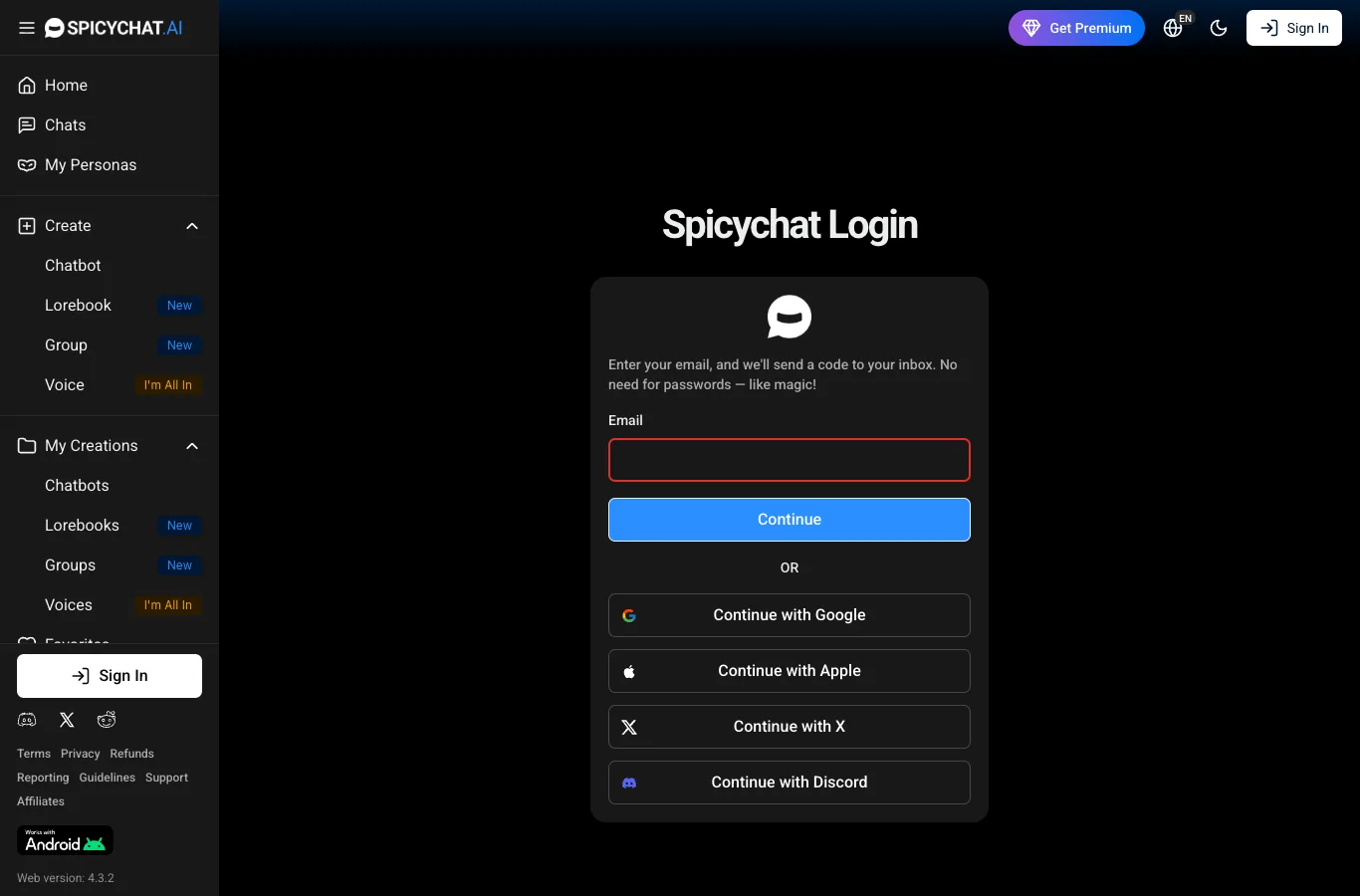
Once you’ve signed up, logging in is straightforward. Just head to the official SpicyChat site—look for the login button at the top. Here’s how you get started:
- Click the login button on the homepage.
- Choose your preferred sign-in method: email (passwordless), Google, Apple, X, or Discord.
- If using email, enter your address and check your inbox for the sign-in code.
- Enter the code you receive to continue.
- If you pick a social login, just follow the prompts to authorise access.
- Once complete, you’ll land back on your chat dashboard and can start exploring characters right away.
If it’s your first login after registering, you’ll use the same method you picked at sign-up. It’s all pretty quick and doesn’t require remembering a password.
Which login method to choose
You’ll find a few different ways to sign in, each with its own perks. Here’s how they compare, especially when it comes to privacy:
| Method | Convenience | Privacy | Good for |
|---|---|---|---|
| Email (code) | High | High | Avoiding extra accounts |
| High | Moderate | Linked Google users | |
| Apple | High | Higher | iPhone/Mac users |
| X (Twitter) | Medium | Moderate | X account holders |
| Discord | Medium | Moderate | Discord users |
Using email with a one-time code is great if you want minimal data shared, while Apple’s ‘Hide My Email’ can add a layer of anonymity. Social logins are fast, but check what info is shared during authorisation.
Resetting your password
Since SpicyChat uses passwordless login, resetting is all about getting a fresh sign-in code. On the login screen, enter your registered email, and you’ll be sent a code—make sure it’s the same address you used at sign-up. If the code doesn’t appear, check your spam or junk folder and give it a couple of minutes, as emails can take a moment to arrive.
Tip: If you still can’t find the code, try sending it again or check for typos in your email.
Avoid fake SpicyChat login pages
Unfortunately, fake login pages do pop up. To keep your account safe, only use the official SpicyChat domain when signing in. This review site never asks for your password or card details.
- Always check the web address is spicychat.ai before entering any info
- Never install apps or enter details from unofficial links
- The Android APK is only on the official SpicyChat website (spicychat.ai)
- Never enter payment info on sites you don’t recognise
- Our site is independent and doesn’t request account access
Sticking to the official site is the best way to avoid scams or account issues.
Still can't log in? Contact support
If you’re locked out, support is quick to help—just remember, we’re an independent review site and can’t access accounts. Have details like your email address and login method handy for faster help.
- Use the support form on the official SpicyChat site
- For the quickest response, join the official Discord
- Describe your issue clearly (e.g. which login method you used)
- Mention any error messages or missing codes
Support is available around the clock and will guide you through next steps.
FAQ
Can I use one SpicyChat account on several devices?
Yes, you can sign in to your SpicyChat account from different devices. Just use the same email or social login on each device to access your chats.
Can I log in to SpicyChat on my phone?
Absolutely. Android users can download the APK from the official site, while iPhone users can add SpicyChat’s web app to their home screen via Safari for easy access.
Where is the SpicyChat login page?
The login page is at the top of the official SpicyChat homepage. Only enter your information on spicychat.ai to keep your account secure.
How do I delete my SpicyChat account?
To delete your account, log in and look for the account deletion option in your settings. If you have trouble, you can contact official support for help.
Is this the official SpicyChat login?
No, this is an independent review site. For your safety, only log in directly on the official SpicyChat website, not through third-party sites like this one.