SpicyChat Sign In Help
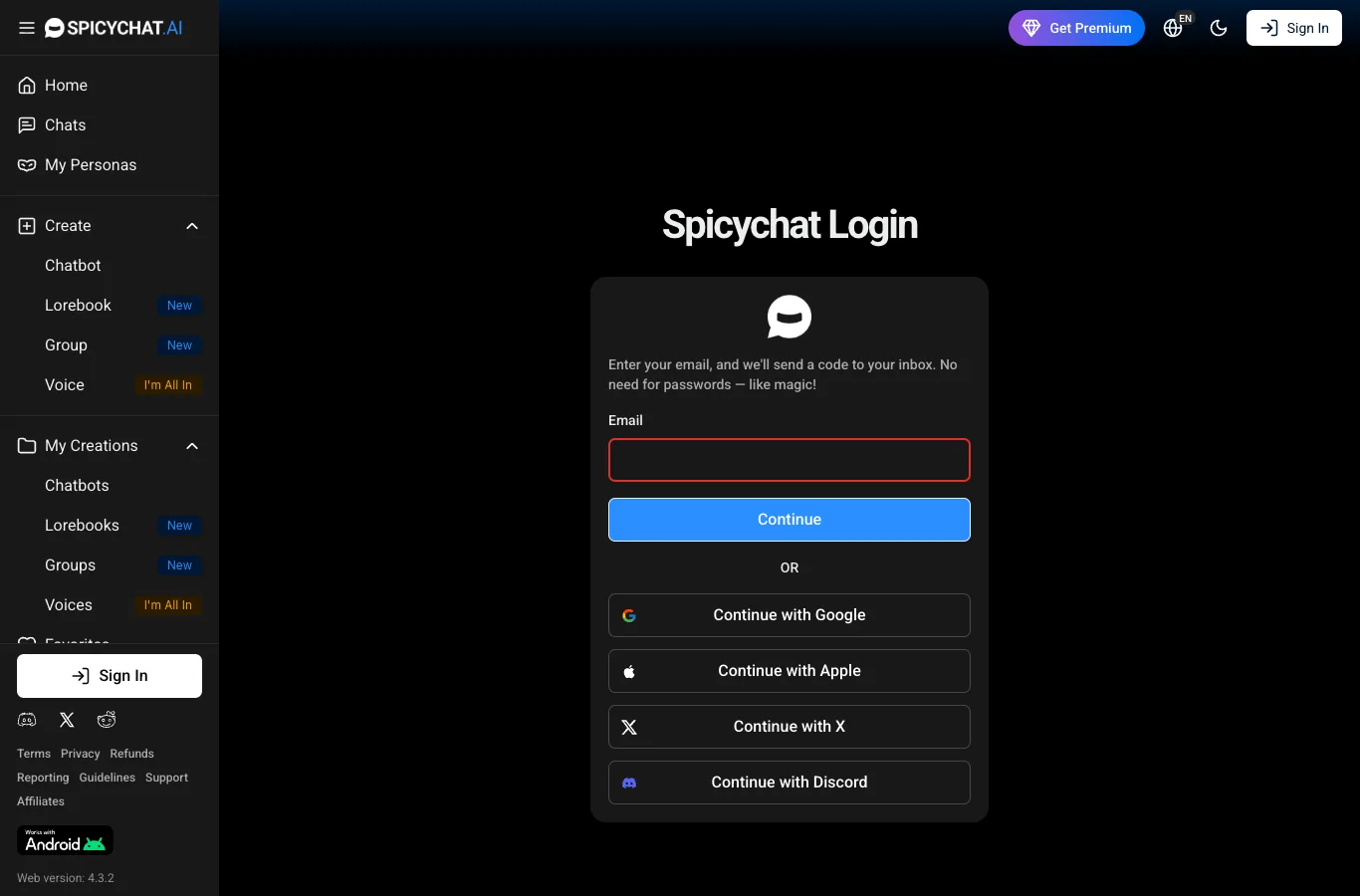
To log in to SpicyChat, head to the official website and use your email to get a one-time sign-in code, or continue with Google, Apple, X, or Discord. Only use the login button at the top of the official site for a secure sign-in experience.
SpicyChat login in a few steps
If you're signing in from your phone's browser, it's straightforward. The login button sits right at the top of the official SpicyChat site. Here’s how you can log in:
1. Open your browser and go to the official SpicyChat website (spicychat.ai).
2. Tap the 'Login' button at the top of the page.
3. Enter your email address and request your sign-in code, or choose to continue with Google, Apple, X, or Discord.
4. If you used your email, check your inbox for the code and enter it on the website.
5. You’ll be signed in and ready to chat with your favourite AI characters.
You don’t need a password—just your email or a supported account. This keeps things simple and quick.
Don't have an account yet?
Registration on SpicyChat is quick and always for users 18 and above. You’ll be asked to confirm you’re an adult before getting started. Signing up is free and gives you unlimited messages, unlimited chatbot creation, and access to both SFW and NSFW categories (sorted automatically).
Once you’ve confirmed your age and set up your account, you can jump straight into chatting or even create your own characters. The free plan shows some ads and may have queues, but you get to explore group chats and the vast library of user-made bots right away.
Resetting your password
SpicyChat uses a passwordless login, so you won’t need to remember a password. If you have trouble signing in, simply enter your email and request a new sign-in code. Make sure you use the same email you registered with, and check your spam or promotions folder if the code doesn’t arrive within a few minutes.
Tip: If you still can’t find the code, wait a bit longer and try again—it sometimes takes a few minutes for the email to land.
Phishing check before you sign in
Before entering your email or code, always make sure you’re on the real SpicyChat site. Here’s how to spot a clone:
- The official site domain is spicychat.ai
- Only download the Android APK from spicychat.ai or the official app stores
- Never enter your email or code on lookalike domains or apps
- This site is an independent review and never asks for your login details
If anything feels off, double-check the web address. Staying cautious helps keep your account safe.
Log out, cancel, delete — what's the difference
Understanding the difference between logging out, cancelling subscriptions, and deleting your account is important. Here’s the order most users follow:
- Log out to end your current session—your account stays active.
- If you have a paid tier, cancel your subscription first via the official SpicyChat website.
- Wait for your current paid period to end if you want to avoid extra charges.
- Go to your account settings on the official site to delete your account completely.
- Only delete after you’ve cancelled any subscriptions, to prevent billing issues.
Each step serves a different purpose, so taking them in the right order saves hassle.
SpicyChat support options
If you run into trouble, SpicyChat offers support around the clock. The fastest way to get help is through their official Discord, but you can also use the support form on their website. When you reach out, include details like your account email and a description of the issue for a smoother response.
We’re just a review site and can’t access user accounts, so always contact SpicyChat directly for login or account problems.
FAQ
Can I log in to SpicyChat with Google?
Yes, SpicyChat lets you sign in using Google, as well as Apple, X, or Discord accounts—just choose your preferred option on the login screen.
How do I delete my SpicyChat account?
To delete your SpicyChat account, log in on the official site, go to your account settings, and follow the prompts to permanently remove your account.
Can I use one SpicyChat account on several devices?
Yes, you can use your SpicyChat account on multiple devices. Just log in with your email and sign-in code or with your linked social account on each device.
How do I reset my SpicyChat password?
SpicyChat uses passwordless login. Enter your email on the login page and you'll receive a sign-in code. Use that code to access your account—no password needed.